The best Meta Ads MCP servers let an AI assistant like Claude or ChatGPT read, edit and launch Meta ads, but they split on three jobs: bulk launching, review before changes go live, and working across client ad accounts. Meta's official Ads MCP is the free, first-party default for reporting and one-off edits, creating one object per call. Ads Uploader ($59/month flat, unlimited ad accounts) is built for media buyers launching at volume, with launches you can open and edit in its web app, run end to end or held in your Agent Inbox for approval. AdManage and Koast also launch in bulk, while Pipeboard connects one MCP to 11 ad platforms.
Ask Claude for last week's ROAS on a Meta ad account and almost any MCP server will get it right.
Ask it to turn 40 videos into ads across three ad sets, build a carousel from the best five, launch the creator cuts as partnership ads, then do the same on the next client account, and most of them can't.
That's the gap this guide is about. The difference is fluidity: whether the agent can move from one kind of launch to the next the way a media buyer does, or has to rebuild every ad one call at a time.
Since Meta shipped its official Ads MCP on April 29, 2026, dozens of servers have appeared, from read-only reporting connectors to raw API wrappers that write straight to live campaigns. Tool counts don't tell you which ones can do the launch work. This guide compares 12 Meta Ads MCP servers on the three jobs that matter once an agent touches real money.
What Do You Actually Need from a Meta Ads MCP Server?
Before comparing servers, it's worth asking what you want the agent to do.
This guide is for media buyers and agencies who:
- Already run Meta ads and want an AI assistant doing real work in the account, not just answering questions
- Launch new creative every week
- Manage more than one ad account
- Want to see what an agent is about to change before it changes
If you only want reporting, almost any server on this list will do, and Meta's own is free. If you want an agent to launch and change ads across client accounts, the list gets much shorter.
Bulk Upload, API Wrapper or Reporting: Three Kinds of Meta Ads MCP Server
Meta Ads MCP servers generally fall into three categories.
1. Bulk Upload MCP Servers These launch Meta ads in bulk from one request: a folder of creatives or a spec goes in, and many ads come out across ad sets, with the right asset in each placement. Most began as web apps for launching Meta ads, so their workflows are built around how experienced media buyers work. They also read and edit, so launches, changes and reporting run through one server. Examples: Ads Uploader, AdManage, Adnova, Koast.
2. API Wrapper MCP Servers These wrap Meta's Marketing API tool by tool, exposing calls that already exist. They read and write broadly, but they leave the agent to work out how settings fit together across different launch scenarios, such as placement-specific assets, ad formats and copying an existing ad's setup. A big launch also becomes a long chain of tool calls, usually one object per call. Examples: Meta's official Ads MCP, Pipeboard, Markifact, Ryze AI, Adspirer.
3. Reporting, Analytics and AI Platforms These started as reporting, analytics or AI creative products and added an MCP. They give strong answers about performance, creative and spend, and launching isn't their main job. Examples: Windsor.ai, GoMarble, AdStellar.
There's nothing wrong with categories 2 or 3; the right pick depends on the job. For reporting, analysis and one-off changes, they're a good fit. If you want an agent to launch at volume while you keep control of what goes live, a bulk upload server is usually the better fit. The difference shows at volume: 50 ads is one job on a bulk upload server and a long chain of separate calls on an API wrapper.
A Note on Meta's Official Server
Most MCP servers are wrappers: they turn calls Meta's Marketing API already has into tools an AI can use. There's a fair debate about whether an agent needs an MCP at all, since underneath it's all API calls.
Meta's own Ads MCP is free and first-party, and it reads an account well. If you work in one ad account, or mostly run one type of ad, it may be all you need. The work runs in a straight line: one call, one object.
It gets harder when you're a media buyer across a roster of client accounts. Targeting, ad set setup and each business's quirks change from account to account, and a basic MCP leaves the agent to work all of that out call by call. Access goes account by account too: Meta has to enable each ad account for its MCP, and each client's admins, or a partner with shared access, set what an MCP may do there, so you depend on every client allowing it.
Price is worth thinking about differently, too. A free first-party connection doesn't come with the view a third-party tool gets from seeing a huge cross-section of ad launches every day. When the API changes, new errors appear or something breaks, a good third-party product is often the first line of defense, spotting the problem and resolving it well before you'd be able to diagnose it yourself.
That's why many teams run Meta's server alongside a third-party layer with its own workflow, permissions and rate limits, especially if you'd rather an agent didn't work on client accounts directly. Working solo on a few accounts with particular needs, Meta's server or your own integration can be exactly right.
Key Features to Look for in a Meta Ads MCP Server
Must-Have Features
- Bulk launch as one job - Dozens of ads across several ad sets from one request or saved spec, with 4:5 media in feed and 9:16 in Stories and Reels, and only the failed ads retried if a few don't go through
- Fluid launches - Carousels, flexible ads, Post ID ads and partnership ads in the same conversation, without rebuilding each ad one call at a time
- Review before live - The exact launch or change held in an approval queue, if you want, not just created paused
- Multiple ad accounts from one connection - Client accounts through one login, with limits on what the agent may do in each
- Limits enforced on the server - An account scope written in a tool description is a request to the model; a scope checked on the server, with its own rate limits, is a boundary
Nice-to-Have Features
- A web app on the same launches - Open what the agent built, then review it, edit it or save it in a normal interface
- Agent notes - The reason behind each change, from the agent or from you, kept alongside the change in your history
- Post ID duplication - Scale winners while keeping their likes, comments and shares
- Creative enhancement controls - Switch off the Advantage+ creative enhancements you don't want once, rather than on every ad
- A CLI on the same engine - Usually lighter on tokens than MCP and better with files on your disk, so it's often the better choice when your agent app can run commands
- Folder imports - Pull media from a Drive folder instead of pasting public file links one at a time
- Compact reads - Numbers that match Ads Manager, returned in a shape small enough not to flood your AI client's context
Pricing Model Matters
How a server charges changes a lot once you add client accounts:
- Free (Meta's official server, open-source servers): nothing to pay, but you carry the setup, and Meta's server only works on accounts that are enabled and allowed
- Flat pricing (Ads Uploader, Ryze AI): the same price at 1 account or 25
- Per-account tiers (Pipeboard, AdManage, Koast): the price steps up every few accounts
- Credits, tasks or calls (Markifact, Adspirer, AdStellar): cost scales with how much the agent does, which is hard to predict for launch-heavy weeks
At 25 ad accounts, Ads Uploader is $59 a month and Pipeboard is $199, while AdManage adds about £100 a month for each account past its plan and Koast moves to custom pricing.
Quick Comparison Table
| Tool | Category | Bulk Launch | Review Before Live | Ad Accounts | Pricing | Best For |
|---|---|---|---|---|---|---|
| Ads Uploader | Bulk upload | Launch jobs | Agent Inbox, saved reviewable builds in the web app | Unlimited | $59/mo flat | Media buyers and agencies launching at volume |
| Meta Ads MCP | API wrapper, first-party | One object per call | Drafts or paused, admin rules | As Meta enables them | Free | Reporting and one-off edits |
| AdManage | Bulk upload | Array launches | Drafts, preview links | 1-10 included, more about £100 each | From £199.99/mo | Larger teams on a premium budget |
| Adnova | Bulk upload | Bulk launches | Drafts with review links | $20/mo per extra account | $79-99/mo | Creative teams launching from a creative library |
| Koast | Bulk upload | 100 ads per call | Drafts, publish limits | Up to 10 | From $299/mo | Bulk launches behind drafts |
| Pipeboard | API wrapper | Batch uploads, bulk updates | Paused, scoped tokens | 3-25 by plan, more at $10 each | $29.90-199/mo | One connection across 11 ad platforms |
| Markifact | API wrapper | Google Sheets rows | Approval on writes | Unlimited | From $79/mo | Sheet-driven bulk uploads |
| Ryze AI | API wrapper | Raw API writes | In the AI client | Unlimited | $89/mo | Hosted reporting and research |
| Adspirer | API wrapper | One stack per call | Paused creation, agent inbox | 1-5 active per platform | Free, then $49/mo | Analysis with paused creation |
| AdStellar | Reporting, analytics and AI | Batch size unpublished | Build, then confirm | Unlimited | From $100/mo | AI-generated campaigns |
| Windsor.ai | Reporting, analytics and AI | One ad per action | In the AI client | 75 | From $23/mo | Cheap reporting across many accounts |
| GoMarble | Reporting, analytics and AI | One ad set per launch | Propose, then confirm | 15 per connector | Writes from $399/mo | Approved changes for agencies |
12 Meta Ads MCP Servers Compared
1. Ads Uploader - Best for media buyers and agencies launching Meta ads in bulk
Category: Bulk upload MCP server
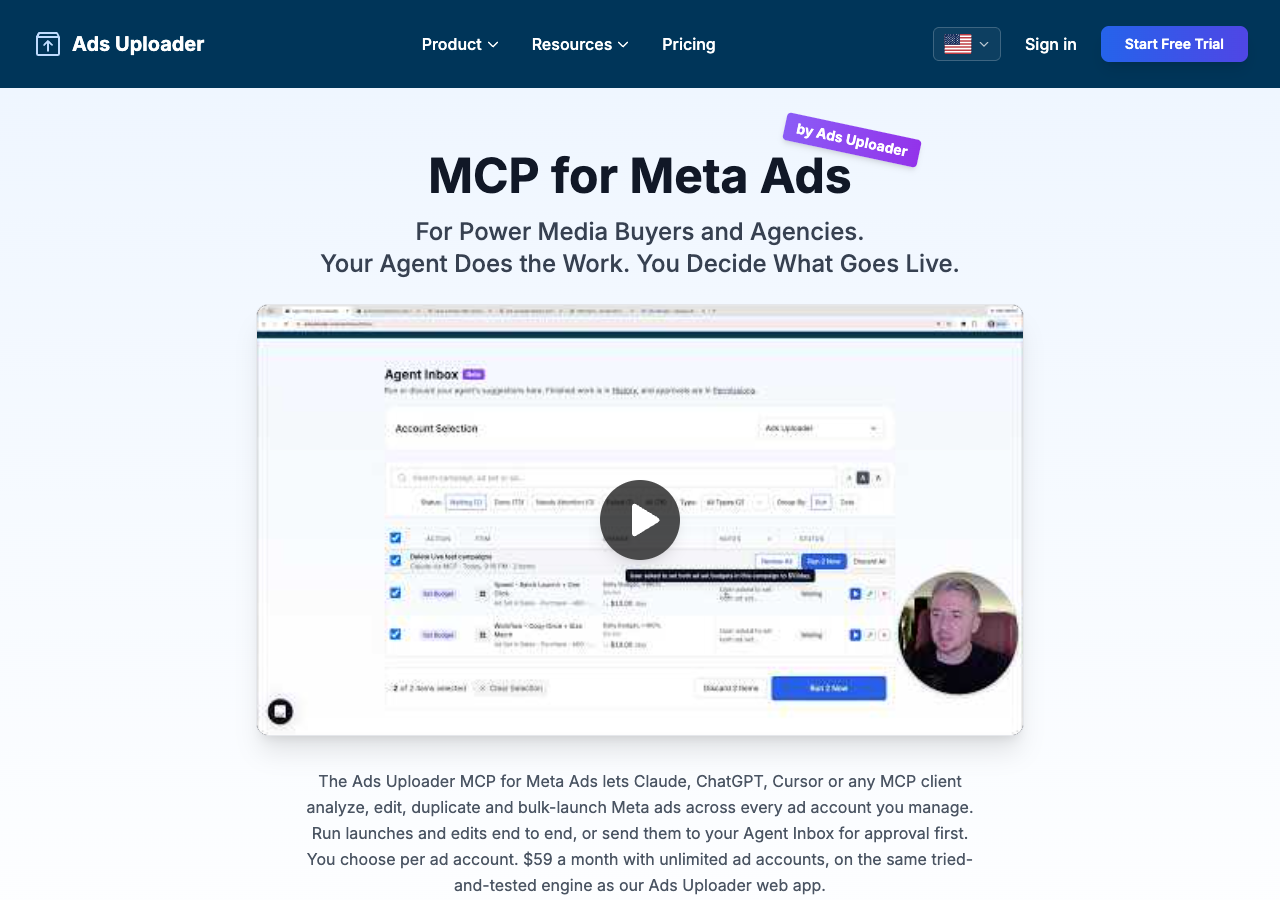
Ads Uploader's MCP launched on the bulk-launch engine of our tried-and-tested web app, the one media buyers already use to get batches of creative live through Meta's Marketing API. It has since been updated to analyze, edit and duplicate as well, across every ad account you manage, so an agent can check performance, make or propose changes and launch the next round from the same chat. The web app, the CLI and the MCP share one engine and the same saved builds.
Key features
- Bulk launch as one job - A saved build or spec becomes many ads across ad sets in one server-side job, with aspect ratio variation matching, automatic placement pairing and custom names, launched from a Google Drive folder, public URLs or uploads from your file system
- Fluid formats - Carousels, flexible ads, Multi Media ads, creator partnership ads and Post ID duplication from the same conversation
- Open it in the web app - A build the agent saves is a normal Ads Uploader build, so you can open it in the web app, review it, edit it, change it completely or save it for later
- End to end or Agent Inbox approval - You choose per ad account. Let the agent run launches and edits end to end, or send them to your Agent Inbox first, with current and proposed values side by side, and approve the lines you want. By default, launches run end to end and edits wait for your approval
- Agent notes - The agent explains why it proposed each change, you can edit that note or add your own, and your history keeps the reasons next to the actions
- Permissions through Ads Uploader - You connect your Facebook profile to Ads Uploader once, and Ads Uploader's per-account permissions decide what agents may do in each ad account
- A workflow layer between the agent and Meta - The agent talks to Ads Uploader, not straight to Meta, so its requests run through the same workflow checks and rate limits we built from launching hundreds of thousands of ads a month
- Reads and analysis - Performance with breakdowns and period comparisons in plain metrics like cost per lead and ROAS, campaign health with rejection reasons, and insights across up to five ad accounts in one call
- Duplicate like Ads Manager - Campaigns, ad sets and ads, plus Post ID duplication that keeps likes and comments
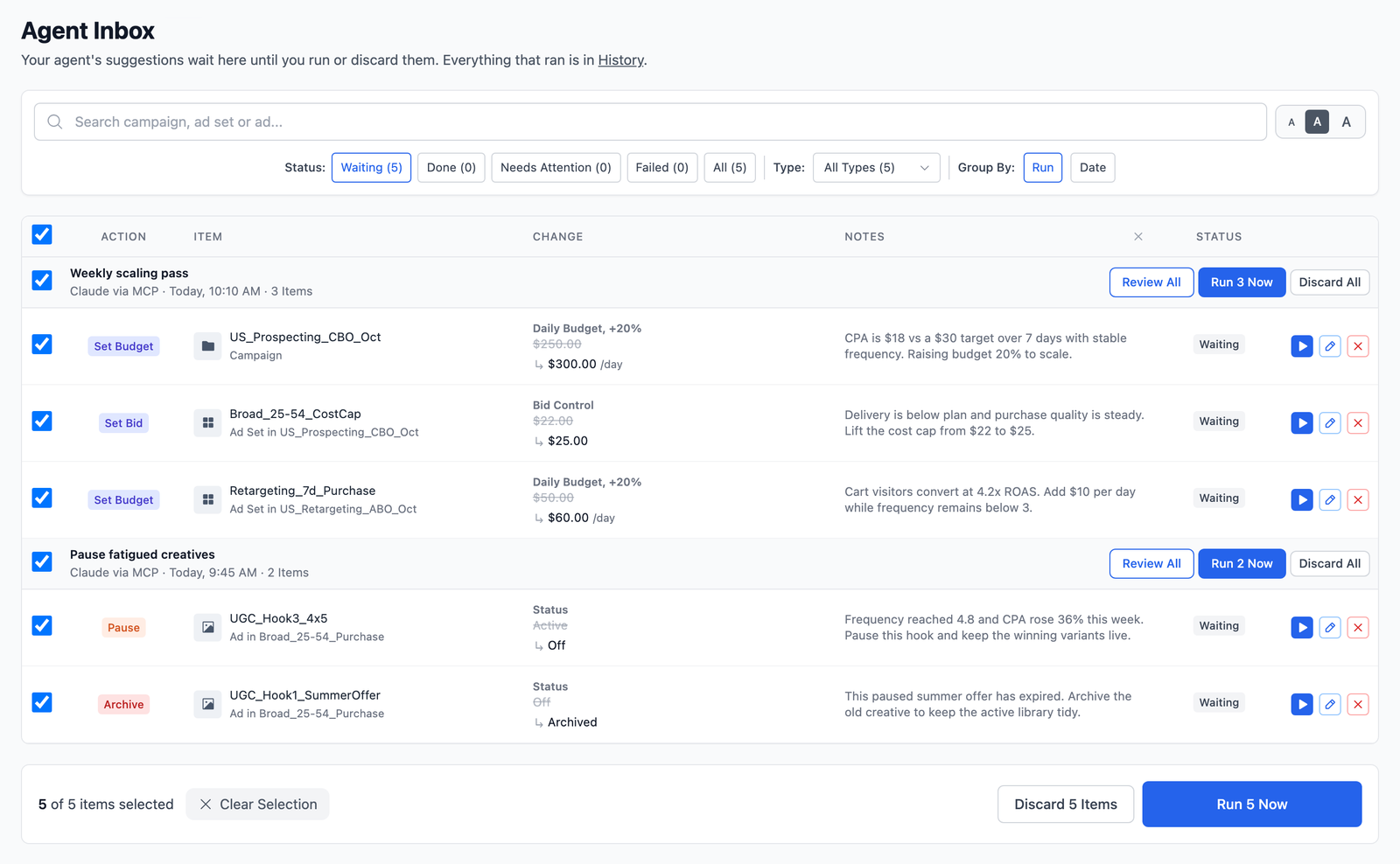
Where it shines: Ads Uploader is built for the way media buyers actually work across client accounts: turn this batch into ads, make a carousel from these, launch those as partnership ads, then do it again on the next account. A saved launch opens as a build in the web app, and you decide per ad account whether the agent runs end to end or every launch and change waits in your Agent Inbox with its reasoning attached. Because you connect through Ads Uploader rather than straight to Meta, access follows your Ads Uploader permissions instead of an MCP setting on every client account. You can run it alongside Meta's free server, using ours for launches and Meta's for catalogs and experiments. At $59/month flat with unlimited ad accounts, agencies don't pay more as they add clients.
What's missing: Hand-holding for first-time advertisers. Ads Uploader is built for power media buyers who already know what works: point it at a winning ad and it carries that ad's settings into every new launch, so nothing gets missed or rebuilt by hand.
Pricing: $59/month flat (unlimited ads, unlimited ad accounts), with the MCP and CLI included on paid plans. Discounted team plans available.
2. Meta Ads MCP (Official) - Best for free reporting, audits and one-off edits
Category: API wrapper, first-party
Meta hosts its server at mcp.facebook.com/ads. ChatGPT, Claude and Perplexity connect with a Meta sign-in; other MCP clients, such as Claude Code, Cursor or Codex, use its developer setup with your own Meta app.
Key features
- A broad toolset - 88 documented tools, including insights with benchmarks and Opportunity Score
- Catalogs, datasets and experiments - Product feeds, pixel and dataset quality, A/B and lift tests, and custom audiences
- Ads MCP server rules - Portfolio admins can block creation or cap budget changes per ad account
- Drafts or paused by default - New work is saved as a draft where draft mode is available, otherwise created paused
Where it shines: Reading and one-off edits. It's first-party and free, and for drafting a few ads from a chat or auditing one account, it does the job.
What's missing: Its documented create tools make one campaign, ad set or ad per call, with no batch launch tool, so 40 videos with 9:16 cuts across three ad sets becomes a long chain of upload and create calls. No approval queue or before-and-after preview for edits is documented, and draft mode is still reaching accounts in phases. Meta enables the MCP account by account, so some client accounts won't connect yet.
Pricing: Free. You still pay for ad spend, and your AI client's own plan terms apply.
3. AdManage - Best for larger teams launching in bulk on a premium budget
Category: Bulk upload MCP server (premium)
Key features
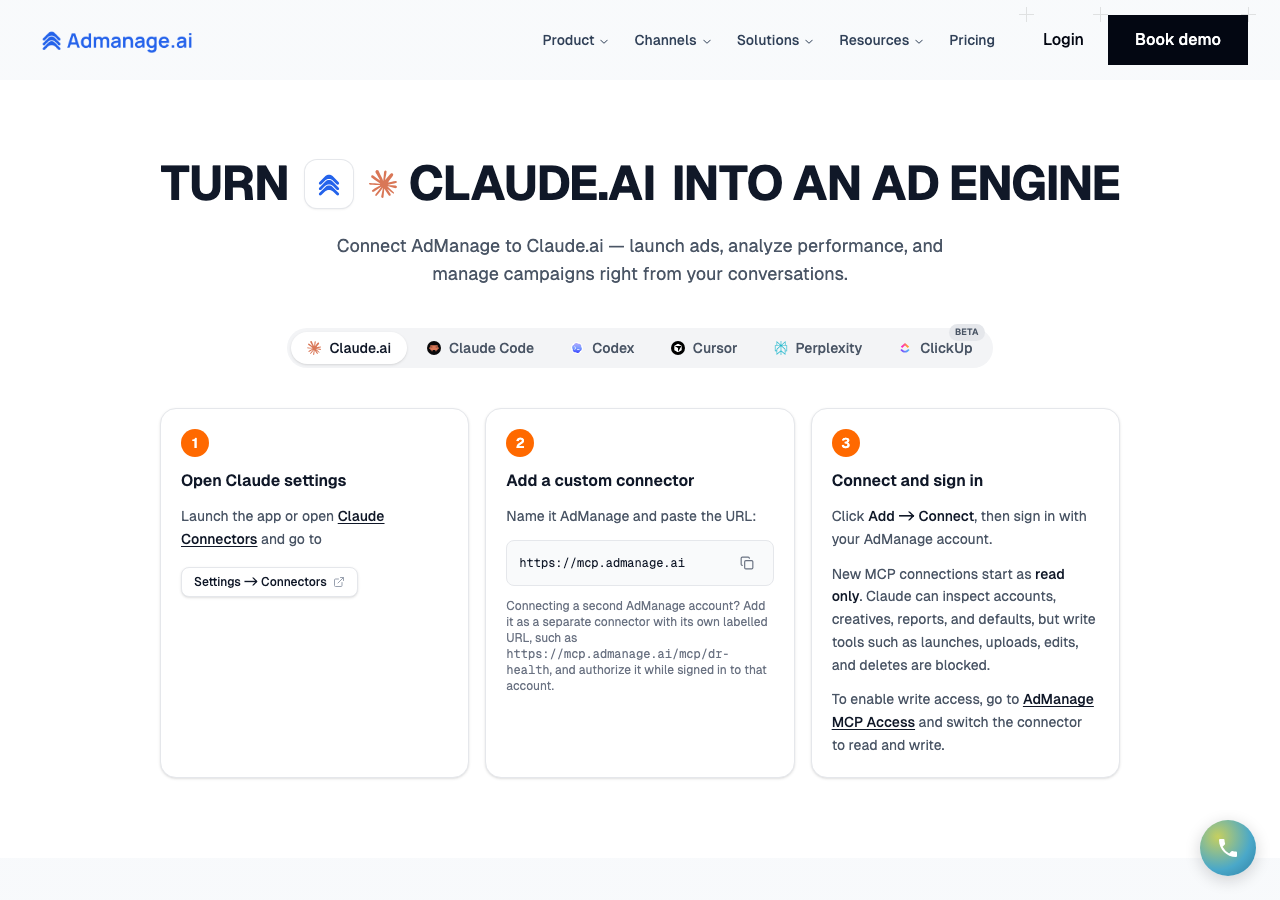
- Array launches - One launch call sends an array of ads as one batch, mapped to placements by aspect ratio
- Wide format support - Carousels, flexible ads, Post ID ads and partnership ads
- Read-only by default - Connections start read-only, with writes switched on deliberately
- Shareable previews - Drafts can be shared as preview links before launch
- Multi-platform - Meta plus other ad platforms from the same workspace
Where it shines: AdManage is a genuine bulk launcher with an MCP on top, and its documentation covers the formats high-volume teams need: placement-specific media, flexible and carousel ads, Post IDs and partnership ads. If you already launch at substantial volume and work across several ad platforms, its batch workflow is worth a look.
What's missing: No documented approval queue. Essential includes one ad account, and each extra account costs about £100 a month, so the bill climbs quickly as you add clients.
Pricing: Essential £199.99/month (1 ad account, 7-day money-back guarantee), In-house £499.99/month (5 ad accounts), Agency £999.99/month (10 ad accounts), with extra accounts from £99.99/month each; unlimited accounts on custom Enterprise.
4. Adnova - Best for creative teams launching from a shared creative library
Category: Bulk upload MCP server
Key features
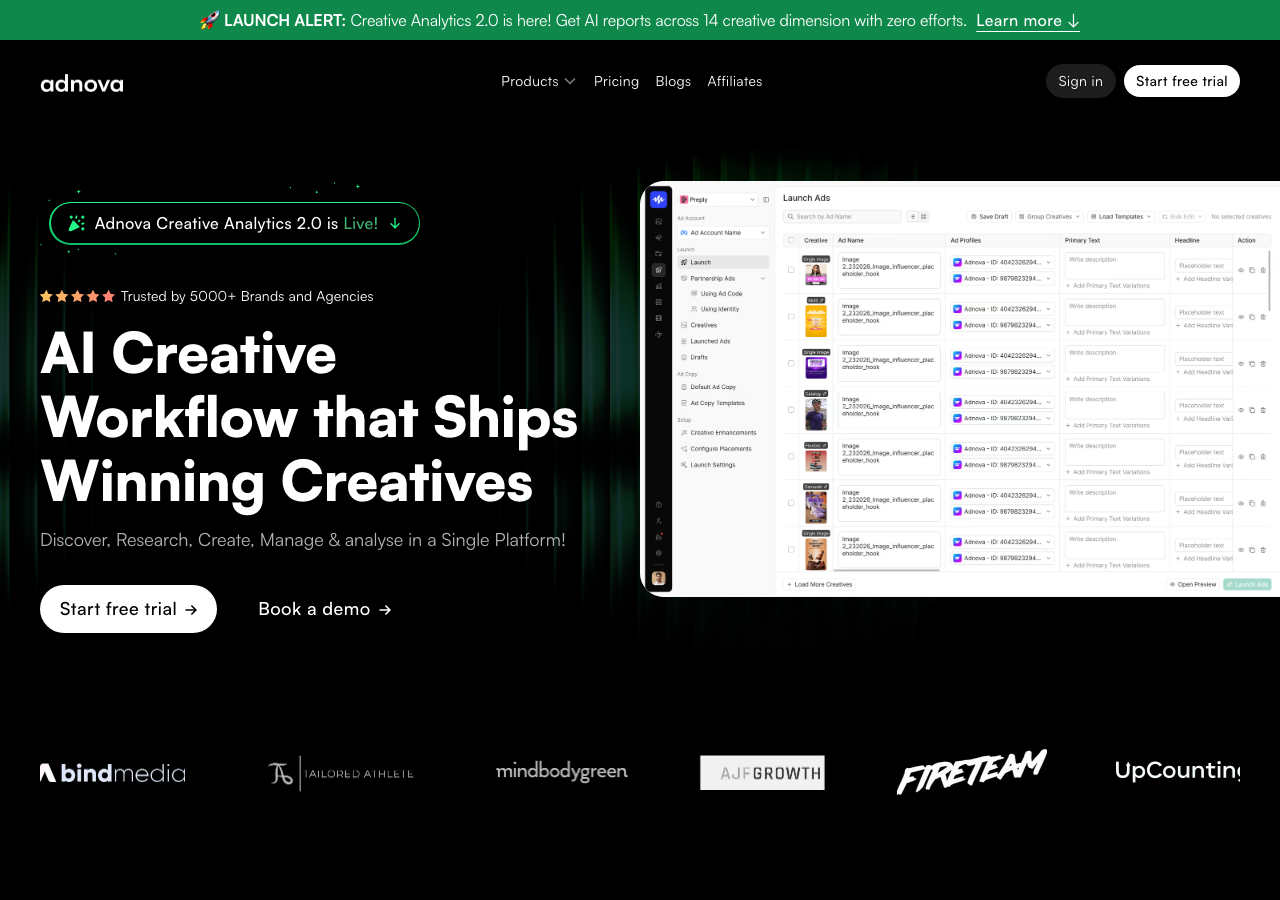
- Wide Meta format support - Single image or video, carousel, flexible, multi-placement, multi-media, collection and catalog carousel ads, plus partnership ads
- Launch from the Creative Hub - Use creatives already in Adnova, or import from Google Drive, Dropbox, Frame.io or Air links
- Drafts with review links - Save a launch as a draft that doesn't reach Meta, with a link to review it in Adnova
- Account settings carry over - Ad names, tracking and publishing identity come from each ad account's settings
- Works with Claude, ChatGPT, Grok and Cursor
Where it shines: Adnova's MCP sits on top of a full launcher, so an agent uses the same accounts, naming, tracking and creatives the team already set up. Its format list is one of the widest in this roundup, and drafts add a review step in the web app.
What's missing: Pricing is per ad account, so an agency pays $20/month for each account beyond the first. Duplicating a campaign copies it without its ad sets, and an ad set copy comes without its ads.
Pricing: Ad Launcher is $99/month, or $79/month billed annually, for 1 ad account, plus $20/month for each extra account; 7-day trial with no card. The MCP needs a paid plan, the Ad Launcher add-on or an active trial.
Wary of Wiring AI Straight to Meta?
Ads Uploader is loved by power media buyers and agencies, and trusted to launch hundreds of thousands of Meta ads every month.
See the MCP for Meta AdsNo credit card required • 7-day free trial
5. Koast - Best for Meta teams that want bulk launches behind drafts
Category: Bulk upload MCP server
Key features
- Up to 100 ads in one call - Batches, campaigns and ad sets, with copy edits, creative swaps, templates and snapshots
- Drafts until publish - New campaigns stay drafts, and nothing is sent to Meta until you publish
- Publish limits - Sign-in connections must set a lifetime publish limit; API keys can set one or choose Unlimited
- Validation before publish - Launches are validated, then published on explicit confirmation
Where it shines: Koast pairs a clear bulk claim with real guardrails: drafts by default, explicit publishing and a publish limit on each sign-in connection. For a Meta-only team launching at volume, it covers both bulk launches and review before publishing.
What's missing: One brand per conversation, so agency-wide analysis means switching context. Plans cover up to 10 ad accounts, and anything larger needs custom Enterprise pricing.
Pricing: Growth $299/month for up to 10 of your own ad accounts, with unlimited seats and launches; Agency $499/month with no implementation fee; larger plans are custom.
6. Pipeboard - Best for one connection across many ad platforms

Category: API wrapper MCP server
Key features
- 67 documented Meta CLI commands - Including cross-account insights and campaign duplication
- Batch creatives and bulk updates - Bulk changes to up to 200 existing objects
- 11 ad platforms - Meta plus Google, TikTok, Amazon and others from one hosted connection
- Paused by default - New campaigns, ad sets and ads are created paused
- Scoped tokens - Read-only and account-scoped credentials
- A CLI alongside the hosted MCP
Where it shines: One hosted connection across many client accounts and ad platforms, with solid reporting, duplication and large-scale updates. If your agent mostly reads, compares and adjusts existing campaigns across channels, it's a strong pick.
What's missing: Covering 11 ad platforms costs it depth on Meta: its workflows are built to span every channel rather than around how Meta advertisers launch. Its CLI reference lists a single create-ad command and no batch size for new ads, so new launches are usually a chain of calls unless you duplicate an existing structure. Paused creation and scoped tokens are useful, but no server-side approval queue is documented.
Pricing: $29.90/month for three ad accounts, $99 for 10 and $199 for 25, with extra accounts at $10/month each.
7. Markifact - Best for sheet-driven bulk uploads with approvals
Category: API wrapper MCP server
Key features
- 85 Meta operations in its public catalog - Including carousels, flexible ads, Post ID ads, catalog ads and Ad Library search
- Bulk uploads from Google Sheets - Rows become ads in one approved run
- Approval on writes - Markifact says writes are held until you approve them
- Client authorization links and a shared team workspace
- 13 other ad and analytics platforms from the same connection
Where it shines: Markifact is more agency-oriented than a typical reporting MCP: unlimited ad accounts, structured bulk launches from a sheet, and approval before every write. If your team already plans launches in Google Sheets, it maps neatly onto that habit.
What's missing: Meta is one of 14 platforms here, so the workflow is general-purpose rather than built around how Meta advertisers work. No documented partnership ads or automatic 4:5 and 9:16 pairing. Its MCP guide still relies on your AI client's approval setting, and credit-based pricing means heavy launch weeks use more credits.
Pricing: From $79/month for 2,500 credits, with unlimited ad accounts.
8. Ryze AI - Best for hosted reporting and research across platforms
Category: API wrapper MCP server
Key features
- 12 tools covering reads, diagnosis and generic writes
- Raw Graph API writes - Broad coverage of Meta's object model through generic read and write tools
- Ad Library search
- Agency workspaces with unlimited ad accounts
Where it shines: Ryze gives Claude, ChatGPT or Cursor hosted access to several Meta ad accounts and 11 other ad platforms, mainly for reporting, diagnosis, Ad Library research and occasional supervised changes.
What's missing: No typed launch tool or preview for MCP writes, which depend on your AI client's approval settings. Ryze's own chat skips approvals by default, though its web app has an inbox for changes its agents propose.
Pricing: $89/month with unlimited ad accounts.
9. Adspirer - Best for broad analysis with paused creation
Category: API wrapper MCP server
Key features
- 60 Meta tools - Including fatigue, wasted-spend and anomaly analysis
- Paused campaign creation - Each create call builds one paused campaign, ad set and ad
- Seven ad platforms from one connection
- A free plan with 15 tasks a month, enough to test one campaign
Where it shines: Adspirer suits solo buyers and smaller agencies who want broad Meta analysis plus conversational, paused-by-default campaign creation for conventional image, video, carousel and catalog campaigns.
What's missing: Serving seven ad platforms trades depth on Meta for breadth, and its workflow isn't built around how Meta advertisers launch. One campaign stack per call, and each extra ad is another call. Post ID and partnership ads aren't documented. Monthly Plus and Pro allow one active account per platform, and five is the self-serve maximum, so agencies need custom pricing.
Pricing: Free plan with 15 tasks, then $49/month for 150 tasks.
10. AdStellar - Best for AI-generated campaigns with careful publishing
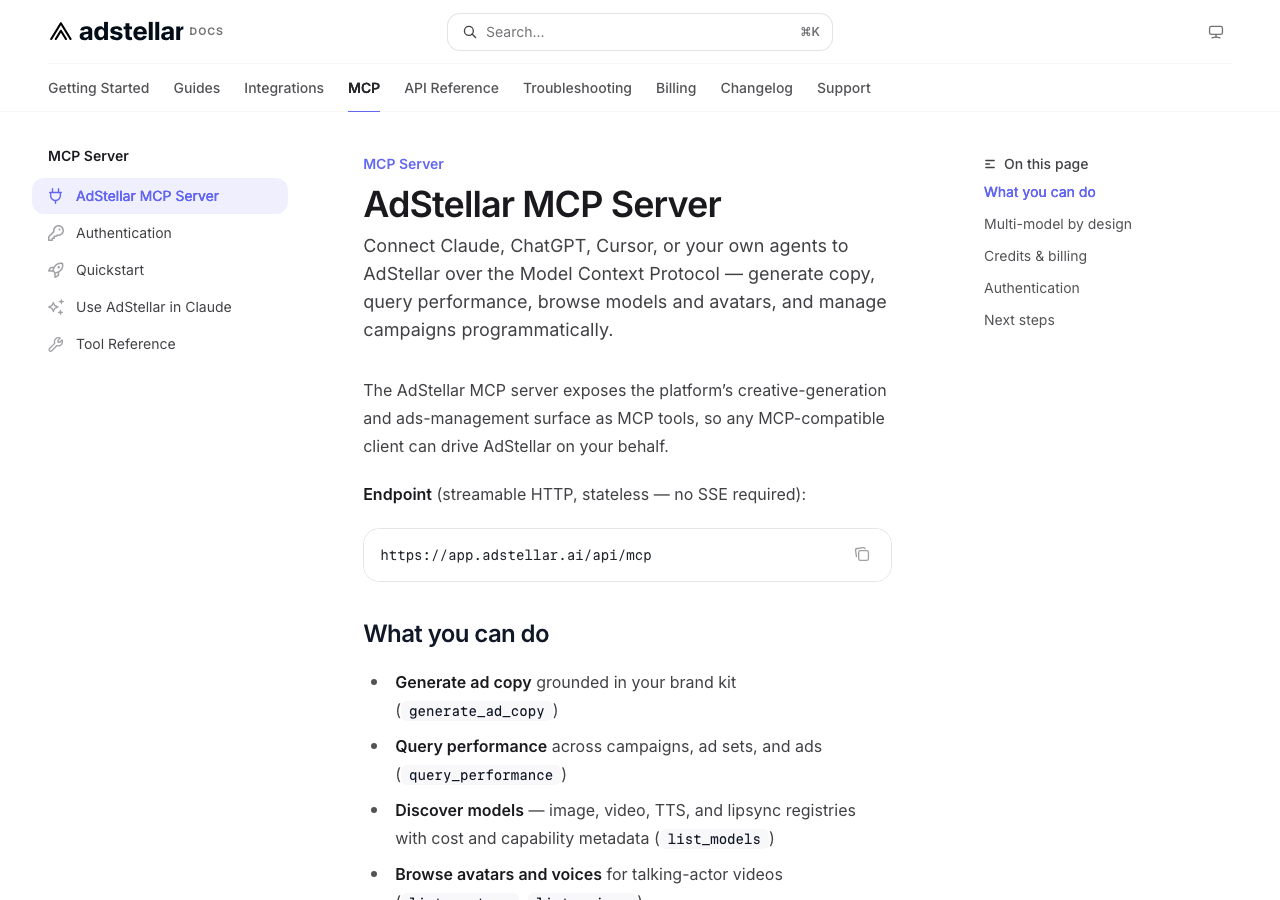
Category: Reporting, analytics and AI platform with an MCP
Key features
- Reviewable campaign builds - The MCP builds a campaign you can inspect before anything is live
- Confirmation tokens - Publishing, status and budget writes need an explicit two-step confirmation
- Paused by default - Launches start paused
- AI creative generation and unlimited ad accounts
Where it shines: AdStellar's publishing flow is careful by design: direct publishing and budget changes need an explicit confirmation, though owners can switch on automation rules that act on their own. For teams that want AI-generated campaigns with a deliberate step before spend, it's a sensible option.
What's missing: No published batch size for MCP launches, and Post ID and partnership ads aren't documented. AI work is metered in credits, though manual builds and launches don't use them.
Pricing: Credit plans from $100/month, with unlimited ad accounts.
11. Windsor.ai - Best for cheap reporting across many accounts
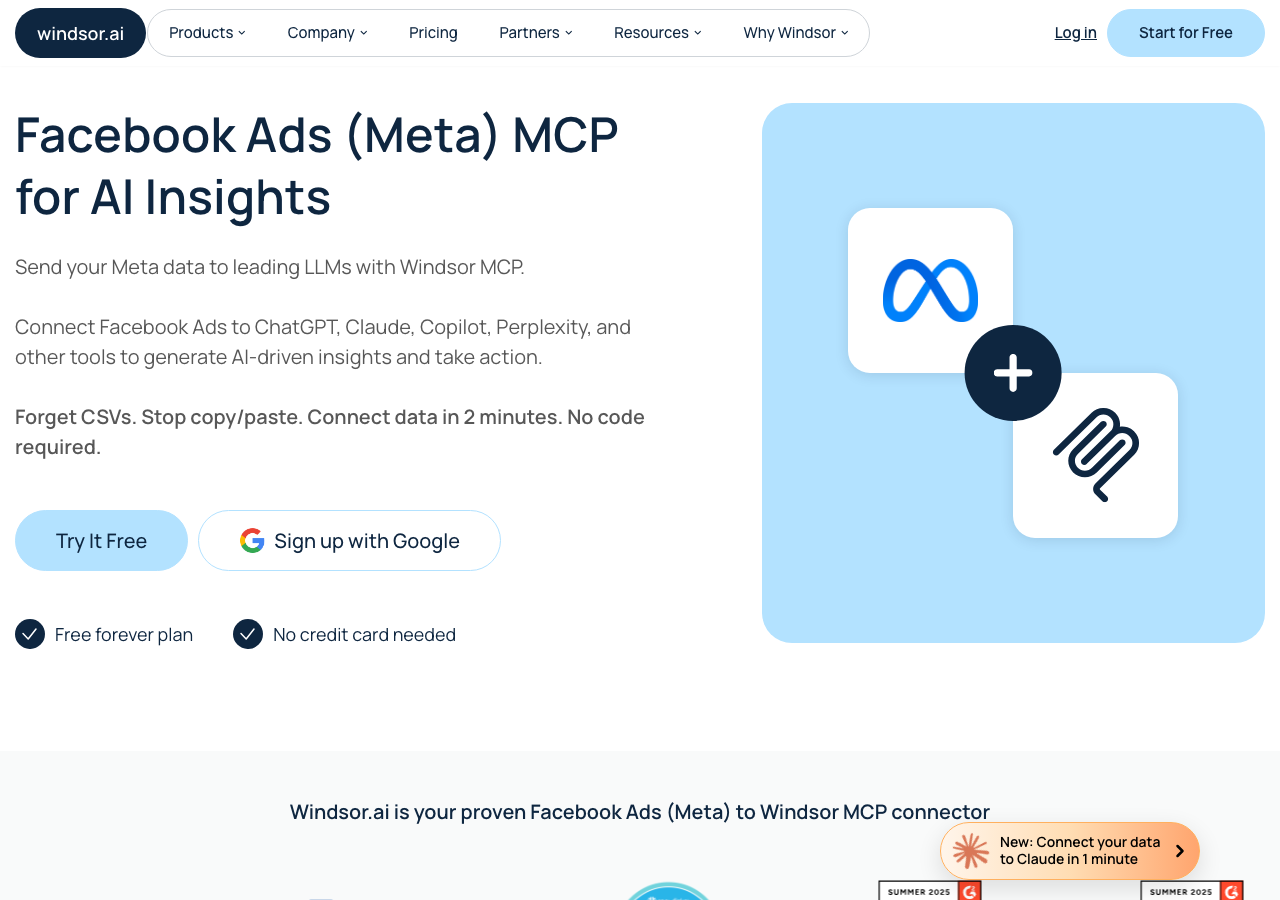
Category: Reporting, analytics and AI platform with an MCP
Key features
- 350+ data sources and 868 Meta fields in one hosted connection
- 75 ad accounts on the entry plan, with unlimited users on paid plans
- 20 Meta write actions that create paused objects and confirm in the client
- A read-only switch and client authorization links
Where it shines: For agencies and analysts who want one inexpensive MCP connection for reporting across many Meta accounts, its $23 entry plan is good value. Its own same-prompt test found Meta's server returned 39,692 characters against Windsor's 7,496 for the same two answers, and response size matters when every character lands in your AI client's context.
What's missing: One ad per action and no delete. Writes are on by default for new accounts, so switch to read-only if you don't need them. No launch job for many new ads is documented.
Pricing: From $23/month for 75 accounts.
12. GoMarble - Best for agencies that want changes approved before they apply
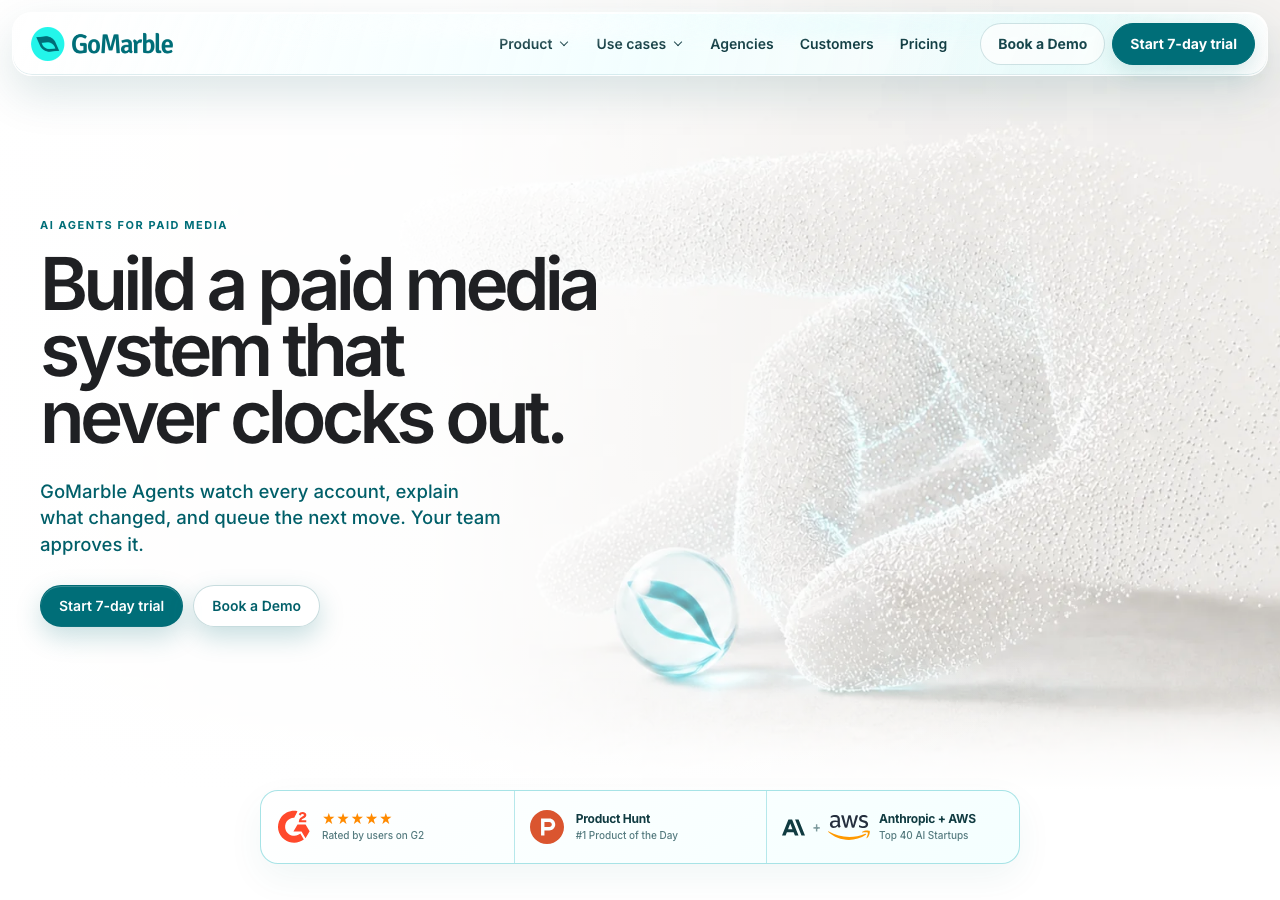
Category: Reporting, analytics and AI platform with an MCP
Key features
- Propose, then confirm - Writes are proposed and only applied after you confirm
- Approval policies and an audit trail on higher plans
- Reporting, competitor research and scheduled analysis
- An MIT-licensed read-only server for self-hosters
Where it shines: GoMarble's proposal-and-confirm flow and paused new ads are meaningful protections, and it can propose several ads at once, which is more useful than a one-object-per-call wrapper. Agencies that want conversational reporting plus human-approved changes get a well-governed setup.
What's missing: Its MCP create tool is limited to Sales campaigns with one ad set per launch (the in-app Launch Flow covers more objectives), and while new ads start paused, the campaign and ad set default to active. The open-source server is read-only and shouldn't be mistaken for the hosted product. The write tier is a big step up in price.
Pricing: Writes start at $399/month for 15 accounts per connector.
Notable Mentions and DIY Alternatives
Several options don't fit the comparison above but are worth knowing.
Meta's official Ads CLI. The developer sibling of Meta's MCP: a Python package that runs on a system-user token and gives full create, read, update and delete from the terminal, one ad per command. It suits scripts and coding agents like Claude Code or Codex. For which one to use when, see our Meta Ads MCP vs CLI comparison. The short version: use an MCP server in a chat app for answers and reviewed changes, and a CLI when a coding agent runs repeatable launches from files on disk.
Open-source Meta Ads MCP servers. Free code isn't free to run: you own the Meta app, the tokens, App Review for other businesses' accounts, API upgrades and security patches. Get MCP Ads publishes an Apache 2.0 local server with 41 read and 23 opt-in write tools, where each write returns a preview before a second, confirming call. byadsco's MIT server has 142 tools, multi-user OAuth and a bulk tool for up to 20 videos into one ad set, if you can run its cloud stack. GoMarble's MIT server is a read-only reporting connector with 21 tools. Check the licence, commit dates and write safeguards before connecting a client account.
AdAdvisor. A curated Meta toolset for solo buyers and small agencies: 38 active tools, everything created paused, each write confirmed, and budget changes over 2x need a separate confirmation. Free for 20 calls a month, or $49.99 for 100 calls a day across 10 businesses. No launch job or Ad Library search.
Atria. Creative and competitor research rather than campaign changes. Its MCP searches a large ad library, reads account performance and generates static images, but it can't create or edit Meta campaigns. Free plan, then Core at $159/month for five accounts.
Zapier and Composio. Good glue, thin as ad tools. Zapier MCP creates one lead ad at a time in an existing ad set, and Composio's Meta Ads toolkit has 70-plus single-object tools but needs your own Meta app. Neither has a ready-made approval layer.
Reporting-only connectors. Adzviser, Flyweel, Funnel, Improvado, Triple Whale, Coupler.io and Fivetran answer questions but don't write. Supermetrics has early-access campaign management with approvals, but no documented bulk workflow.
Ad tools without a usable launch MCP. Madgicx's MCP can't create ads, and Birch's documentation contradicts itself on ad creation. Blip markets MCP bulk launches but publishes no tool list, and Kitchn has no public MCP. If you'd rather launch from a browser than an AI client, a dedicated bulk ad launcher does the same job without the chat.
Pricing Comparison
| Tool | Pricing Model | Monthly Cost | Ad Accounts |
|---|---|---|---|
| Ads Uploader | Flat | $59 | Unlimited |
| Meta Ads MCP | Free | $0 | Any your login reaches, as Meta enables them |
| AdManage | Per-account tiers | From £199.99 | 1-10 included, more about £100 each (Enterprise unlimited) |
| Adnova | Per ad account | $79-99 | 1 included, more at $20/month each |
| Koast | Flat (tiered) | From $299 | Up to 10 (more custom) |
| Pipeboard | Per-account slots | $29.90-199 | 3-25 |
| Markifact | Credits | From $79 | Unlimited |
| Ryze AI | Flat | $89 | Unlimited |
| Adspirer | Tasks | Free, then from $49 | 1-5 active per platform |
| AdStellar | Credits | From $100 | Unlimited |
| Windsor.ai | Flat (tiered) | From $23 | 75 on the entry plan |
| GoMarble | Tiered | Writes from $399 | 15 per connector |
Key insight: For reporting, cost barely matters: Meta's server is free and Windsor.ai covers 75 accounts for $23. For launching and editing across client accounts, the pricing model matters more than the entry price. At 10 accounts, Ads Uploader is $59 against $99 for Pipeboard, $299 for Koast and £999.99 for AdManage, and the gap widens at 25.
Making Your Decision
The right server depends on how you work.
If you mainly want answers about your account:
- Meta's official Ads MCP for free, first-party reporting on the accounts Meta has enabled
- Windsor.ai for cheap reporting across many accounts and sources
If you work solo in a few accounts with particular needs:
- Meta's official Ads MCP, or your own integration on Meta's API, is often all you need
If you want an agent to launch ads in bulk:
- Ads Uploader for launch jobs you can open and edit in its web app, at $59/month flat
- AdManage if you have the budget for a premium option
- Koast for 100-ad calls behind drafts and publish limits
If a human must approve every change:
- Ads Uploader holds agent changes in your Agent Inbox, with the agent's reasoning on each one
- Koast holds drafts on its side, and so does AdStellar unless you switch on its auto-run rules
- Adnova can save a launch as a draft that doesn't reach Meta, with a link to review it
- GoMarble proposes changes and waits for your confirmation
If you're a freelancer or agency running many client accounts:
- Ads Uploader, Markifact and Ryze AI cover unlimited ad accounts
- Per-account pricing (Pipeboard, AdManage, Adnova, Koast) climbs as you add clients
- Meta's own server works on whichever accounts Meta has enabled and each client allows
If you want to launch from a terminal or coding agent:
- Meta's Ads CLI for scripted, one-object-at-a-time control
- Ads Uploader's CLI runs on the same engine as its MCP and web app, uses fewer tokens and works better with files on disk, and shares saved builds so a launch can move between chat, terminal and browser
- Pipeboard also publishes a CLI
If you'd rather self-host:
- Get MCP Ads' local server for opt-in writes with previews, or GoMarble's for read-only reporting
For most media buyers, the simplest setup is one bulk upload server that reads, edits and launches, so reporting, approvals and launches live in one place, with Meta's free server alongside for catalogs, pixels and experiments.
Getting Started
- Start read-only. Connect the server with writes switched off and ask questions you already know the answers to.
- Check the numbers. Compare a few answers against Ads Manager before you rely on them.
- Turn on approvals before writes. Make sure budget and status changes wait for a human yes.
- Test a small launch on a low-stakes ad account. Five to ten ads is enough to learn the workflow.
- Set per-account limits before adding client accounts. Decide what the agent may do in each one.
- Scale gradually. Move from 10 to 50 to 100+ ads per launch as you gain confidence.
Frequently Asked Questions
Give Your AI Agent a Safety Net
Launch across every client account with an MCP and CLI built for power media buyers and agencies.
See the MCP for Meta AdsNo credit card required • 7-day free trial
What Is a Meta Ads MCP Server?
A Meta Ads MCP server connects an AI assistant such as Claude or ChatGPT to your Meta ad accounts through the Model Context Protocol. Depending on the server, the assistant can read performance data, edit campaigns, and create or launch ads, all from a chat or a coding agent.
What Is the Best MCP Server for Meta Ads?
It depends on how you work. Meta's official Ads MCP is free and first-party, and it suits reporting and one-off edits. For media buyers launching in bulk across client accounts, Ads Uploader analyzes, edits, duplicates and bulk-launches across every ad account for $59/month, running end to end or sending work to your Agent Inbox for approval, your choice per ad account.
Is There an MCP Server for Meta Ads That Can Actually Launch Ads?
Yes. Meta's official server and most third-party servers with write access can create ads, but usually one object per call. Ads Uploader, AdManage, Markifact and Koast document launching many ads in one job or request.
Is Meta's Official Ads MCP Enough to Launch Ads at Scale?
For a handful of ads in one account, yes. For dozens of ads with placement-specific media across several client accounts, it works one object per call, with no saved launch spec or approval queue, so teams launching at volume usually add a bulk upload MCP server or a CLI.
Which Meta Ads MCP Servers Can Bulk Launch Ads?
Ads Uploader, AdManage, Markifact and Koast can launch many ads in one job or request. Pipeboard batches creative uploads and bulk-updates existing objects but documents no batch job for new ads, and Meta's official server creates one object per call.
Should I Use the Meta Ads MCP or the Meta Ads CLI to Launch Ads With Claude or ChatGPT?
Use an MCP server in a chat app like Claude or ChatGPT when you want answers and reviewed changes. Use a CLI when a coding agent like Claude Code or Codex runs repeatable launches from files on your disk. Some vendors, Ads Uploader included, ship both on the same engine.
Is It Safe to Give an AI Agent Write Access to a Meta Ad Account?
Yes. Meta didn't release its Ads MCP to catch out the people who use it, and Meta says it's unlikely an account would be banned simply for using it. An account restriction is unlikely to come down to using an MCP alone: many factors go into restrictions, and they get skirted around so often on social media that the real picture is hard to find. Everything an agent does is still subject to Meta's advertising policies, so start read-only, then require approval for budget and status changes before you let an agent write.
Is the Official Meta Ads MCP Free?
Yes. Meta doesn't charge for its Ads MCP. You still pay for your ad spend, and your AI client's own plan terms apply.
Which Meta Ads MCP Servers Work With ChatGPT, Claude and Cursor?
Meta's server names ChatGPT, Claude and Perplexity as standard clients, and other MCP clients such as Claude Code, Cursor and Codex connect through its developer setup with your own Meta app. Most third-party servers, Ads Uploader included, document Claude, ChatGPT and Cursor.
Is There a Free or Open-Source Meta Ads MCP Server?
Yes. Get MCP Ads publishes an Apache 2.0 local server with opt-in writes and previews, byadsco's MIT server includes a bulk video tool, and GoMarble's MIT server is read-only. You still supply the Meta app, tokens, hosting and security updates yourself.
Why Does My Ad Account Say It Is Not Enabled for the Ads MCP?
An is_ads_mcp_enabled value of false usually means Meta's phased rollout hasn't reached that ad account yet. Meta documents no setting to force it on, so use another account for now and check back later.
Which Meta Ads MCP Servers Work Across Multiple Ad Accounts?
Most do, but limits and pricing differ. Ads Uploader, Markifact and Ryze AI cover unlimited ad accounts, and Windsor.ai covers 75 on its entry plan. Pipeboard, AdManage and Koast price by account tiers, and Meta's own server works account by account, as Meta enables each one.
Conclusion
Reading a Meta ad account from Claude or ChatGPT is the solved part. Almost every server on this list gets the numbers right.
The differences show up when an agent starts changing things: whether it can move fluidly through a real batch of launches, whether you see the change before Meta does, and whether it works across your client accounts without the bill climbing every few accounts. Pick the server that fits how you work, start it read-only, and let it earn write access.