Flexible Ads
A flexible ad combines 2 to 10 images and videos into one ad. Instead of you picking the format, Meta decides whether to show each person a single image, a video, or a carousel made from your assets. Use it when you have several creatives for the same message and want Meta to find the best mix.
Open the Builder
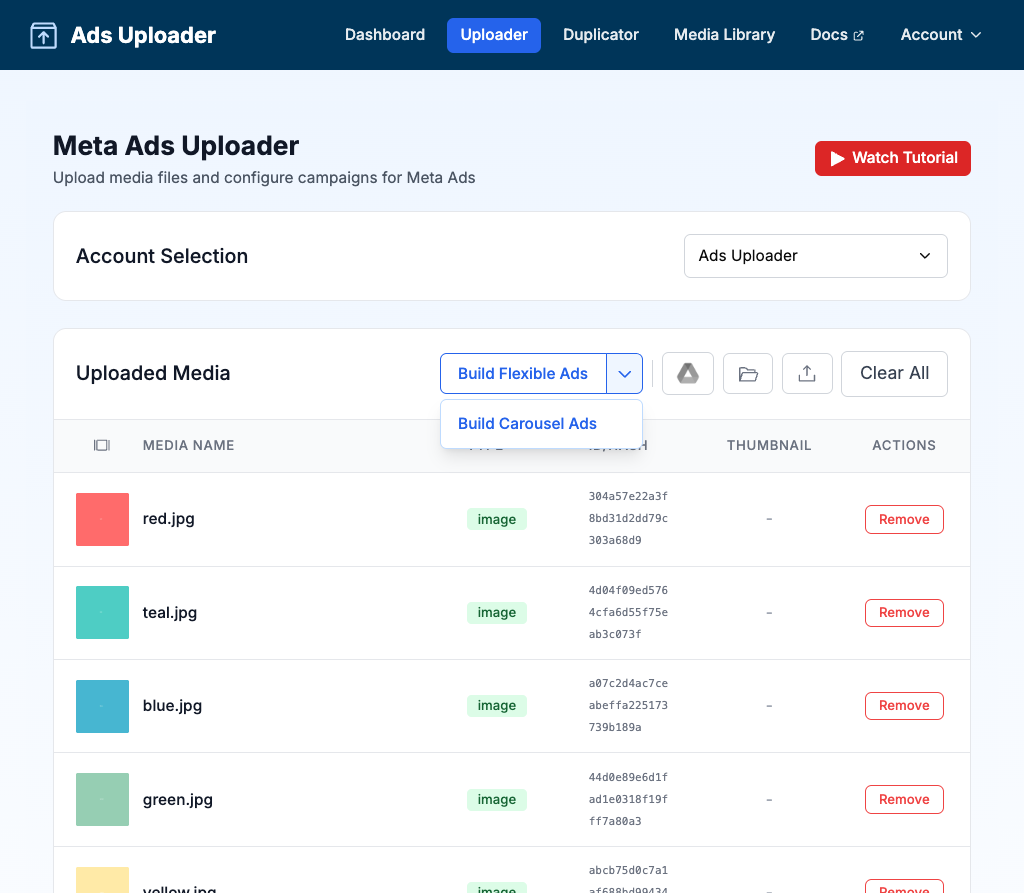
After you upload media, use the Build split button in the toolbar above the Uploaded Media table:
- If the button reads Build Flexible Ads, click it.
- Otherwise, click the arrow next to it and choose Build Flexible Ads.
The button remembers the builder you used last in this browser. The first time, it shows Build Flexible Ads.
Build Flexible Ads
The Build Flexible Ads window has your media on the left and your groups on the right. Each group becomes one flexible ad.
- Click New Group to start a group, or use Auto Group (see below).
- Click a group on the right to make it active.
- Click media on the left to add it to the active group. Each group needs 2 to 10 assets.
- Repeat for more groups. You can rename a group by editing its name.
- Click Create All (N Flexible Ad Groups). N is the number of valid groups.
- Choose what happens to the original files (see Keep or replace your originals), then click Continue.
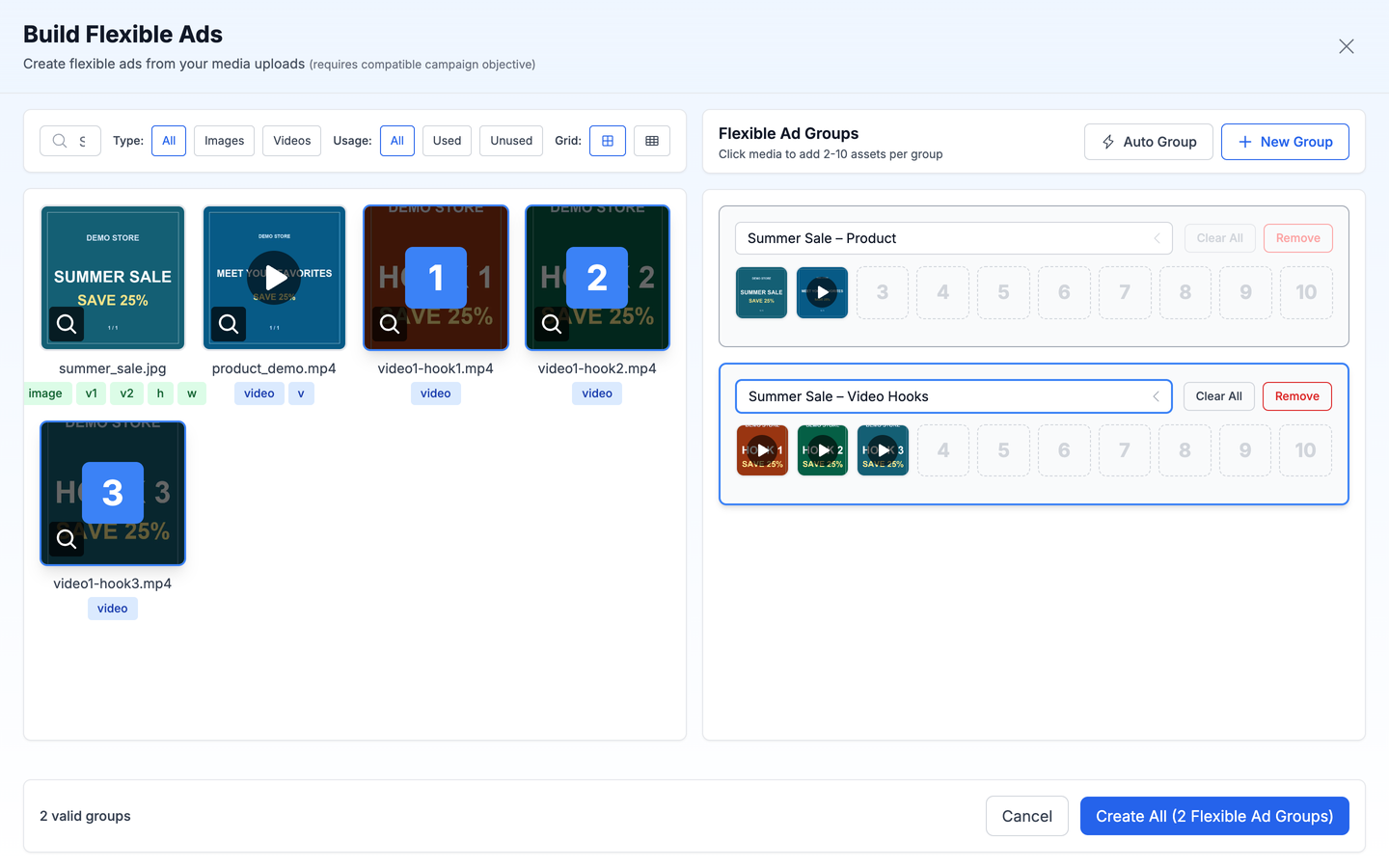
Adding media is click only. You cannot drag assets into a flexible group or reorder them, because Meta chooses how to show the assets.
Each group row has 10 slots and two buttons that work on the active group:
- Clear All empties the group.
- Remove deletes the group.
Find Media
Filters above the media grid help you find files in a large upload:
| Filter | Options |
|---|---|
| Search | Name, Meta media ID, or image hash |
| Type | All, Images, Videos |
| Usage | All, Used, Unused (whether the file is already in a group) |
What You Can Add
- Images and videos, in any mix
- Grouped aspect ratio variations appear once, as their main file, with badges showing the linked ratios
What You Cannot Add
- Another flexible, carousel or Multi Media ad (no nesting)
- Media from a different ad account
Auto Group
Auto Group spreads your media across several groups for you, which is faster than filling groups one by one.
- Click Auto Group.
- Choose your options.
- Click Auto Group to create the groups.
| Setting | Options | Default |
|---|---|---|
| Assets per group | 2 to 10 | 6 |
| Grouping Strategy | Separate by Type (image-only and video-only groups) or Mix Videos and Images | Separate by Type |
| Order | Upload Order or Random | Upload Order |
The window shows how many groups it will create before you confirm. Your choices are remembered in this browser for next time.
Keep or Replace Your Originals
After you click Create All, the Flexible Ad Build Options window asks what to do with the individual files you used:
- Keep Original Media (the default): add the flexible ads to your session and keep the individual files too. Each file can still become its own ad.
- Replace with Flexible Ads: remove the individual files that are now inside a flexible ad, so they do not also become separate ads.
Either way, the individual files stay available in your Media Library for later.
After You Create Them
Each flexible ad appears as a row in the Uploaded Media table, and in your Media Library:
- The Type column reads flexible.
- The thumbnail is a 2x2 grid of the first four assets. A +N badge shows how many more there are when a group has more than four.
- Hover the thumbnail for a larger view, or click it to preview.
When you set up text, a flexible ad is treated as one ad. The text you write applies to the whole ad.
Campaign Objective
The builder notes that flexible ads require a compatible campaign objective. Meta does not accept flexible format for every objective. For example, a website leads objective can be rejected with the message that the selected objective does not support flexible format.
If that happens, you have two options:
- Build the ad as a Multi Media ad instead.
- Use a campaign objective that supports flexible format.
Retrying with the same objective will not work.
Tips
| Do | Don't |
|---|---|
| Mix images and videos so Meta has formats to choose from | Try to put a flexible ad inside another |
| Use Auto Group for large batches | Add more than 10 assets to a group |
| Switch to Multi Media if your objective rejects flexible format | Mix media from different ad accounts |